What Is Google PageSpeed Score? Why Your Perth Business Should Care

What Is Google PageSpeed Score? Why Your Perth Business Should Care
Google PageSpeed Score is a number between 0 and 100 that tells you exactly how fast your website runs. Let's be straight up: if your score is sitting below 50, you are bleeding leads.
Here is why that matters if you run a local business in Perth. Most of your clients are looking you up on their phones while on the go. If your site takes more than a couple of seconds to load, they won't wait. They will hit the back button and call the next business on the list. That is just what the data shows, and it is exactly what Google is measuring.
What PageSpeed Actually Measures
PageSpeed Insights doesn't just clock how many seconds your site takes to load from top to bottom. It looks at three specific parts of the user experience. Google calls these your Core Web Vitals. They sound highly technical, but they are pretty straightforward.
1. LCP (Largest Contentful Paint): How fast your main content appears
LCP measures how long it takes for the biggest visible chunk of your page to show up. Usually, that is your main hero image or your headline. Think of it like ordering at a pub. LCP is how long you wait for your pint to actually hit the bar, not when you placed the order.
- Good: Under 2.5 seconds
- Poor: Over 4.0 seconds
2. INP (Interaction to Next Paint): How fast the page responds
INP measures the delay between a user doing something (like tapping a "Call Now" button) and the page actually reacting. Imagine pressing the button for an elevator and the light doesn't turn on for three seconds. You press it again. Still nothing. That is high INP. It makes your site feel broken.
- Good: Under 200 milliseconds
- Poor: Over 500 milliseconds
3. CLS (Cumulative Layout Shift): Whether things jump around
CLS measures how much your text and buttons jump around as the page finishes loading. We have all experienced this: you are just about to tap a link, and suddenly an image loads above it, pushing the text down so you click the wrong thing. CLS scores exactly that frustration.
- Good: Under 0.1
- Poor: Above 0.25
What Do the Scores Actually Mean?
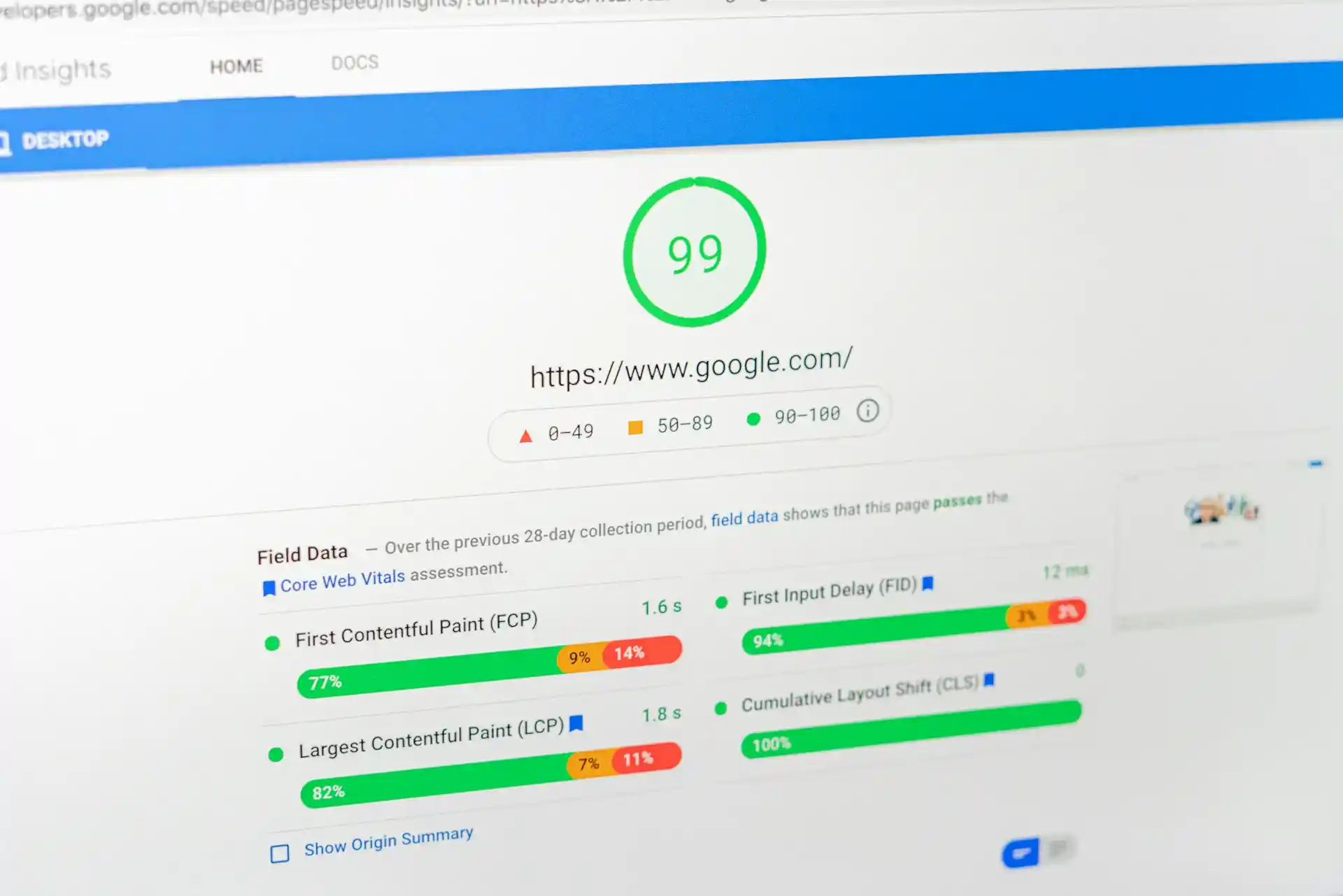
Google groups its PageSpeed scores into three traffic-light bands:
| Score Range | Google Rating | What It Means for Your Business |
|---|---|---|
| 0 to 49 | 🔴 Poor | Over half of your mobile visitors will likely abandon the site before it finishes loading. |
| 50 to 89 | 🟡 Needs Improvement | You are not in crisis mode, but you are actively losing local search rankings to faster competitors. |
| 90 to 100 | 🟢 Good | Elite performance. You get rewarded in local search, and users actually stick around to call you. |
If you are paying for Google Ads or Facebook traffic and scoring in the red, you are literally paying to send people to a page they aren't sticking around for.
Why Google Made This a Local Ranking Factor
Google's entire business model depends on pointing people toward good results. If they constantly send searchers to websites that are slow, frustrating, or broken on a mobile screen, people stop trusting Google.
So they started measuring the actual experience of visiting a site, not just reading the keywords on the page. Speed and usability are now direct ranking signals. If two Perth sparkies have similar reviews, but one has a PageSpeed score of 95 and the other has 43, the faster site gets the edge.
The 4 Common Reasons Perth Business Sites Score Poorly
Most slow sites aren't slow because of complex technical bugs. It usually boils down to a few basic mistakes:
- Unoptimised Images: A photo straight from an iPhone can easily be 5MB. On a web page, that exact same image should be compressed under 150KB. Massive images are the biggest cause of slow load times. Always compress your photos.
- WordPress Plugin Bloat: WordPress is everywhere, but every single plugin you add loads extra code that runs on every page. Twenty plugins means twenty heavy scripts loading before your visitor even sees your phone number. This is the massive hidden cost of cheap page builders like Wix or Elementor.
- Cheap Shared Hosting: Budget $10 a month hosting puts your site on a server shared with hundreds of other random websites. When they get busy, your site slows down. You get what you pay for.
- No Caching: Without caching, your server has to build the page from scratch for every single visitor. With caching, it just hands them a pre-built version instantly.
If you have a template-driven WordPress site stacked with plugins and cheap hosting, you are probably ticking every single box on this list.
How to Check Your Score Right Now
You don't need to guess where your business stands.
- Go to pagespeed.web.dev.
- Paste in your website URL and hit Analyse.
- Look at the Mobile tab first. Desktop scores are almost always higher. Since your actual customers are mostly browsing on their phones, the mobile score is the only one that dictates your local SEO success.
You will see your overall score at the top, followed by a breakdown of the core metrics. Anything marked in red is actively hurting your business. Scroll down to the "Opportunities" section to see exactly what is dragging your score down.
Want to Know Exactly What is Holding Your Site Back?
Stop guessing and let's get a baseline. Run a completely free performance audit with us at Fern Digital.
I will personally look under the hood of your site and tell you exactly what is dragging your PageSpeed score down. No obligation and no tech jargon. If there is a simple fix you can do yourself, I will tell you.